Recent Posts

Windows Server 2025 / How to Install DNS and Create Zones and Records
Build a separate practice zone on standalone DC1 and verify A, CNAME, and reverse PTR answers from CLIENT1.

Windows Server 2025 / DNS Basics: Zones, Records, and Name Resolution
Understand the records and zones used in the lab, distinguish cached answers from current data, and separate DNS from service access.

Windows Server 2025 / How to Handle PowerShell Errors and Write Run Logs
Compare successful and failed file reads, preserve structured error details, and distinguish exception handling from rollback.
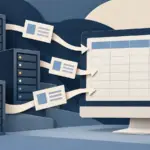
Windows Server 2025 / How to Export Server and Disk Inventory to CSV
Collect consistent local inventory into separate run folders, verify both CSV files, and compare values with their units and collection time.

Windows Server 2025 / PowerShell Basics: Objects, Pipelines, and Server Queries
Inspect command help and object properties, filter services, and calculate disk values without confusing display formatting with data.

Windows Server 2025 / How to Use PowerShell Remoting with WinRM
Configure a targeted remote management path, distinguish domain and workgroup authentication, and verify where commands execute.
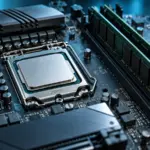
How to Read CPU Memory Specifications: DDR Type, Channels, Capacity, and Speed
Read a CPU’s RAM type, maximum capacity, channel count, and configuration-dependent transfer rates. Check DIMMs, ranks, XMP or EXPO profiles, motherboard QVLs, and BIOS support before upgrading.
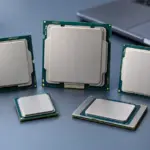
How to Read CPU Model Names: Families, Generations, and Suffixes
Break Intel Core, Core Ultra, and AMD Ryzen names into families, tiers, model numbers, and suffixes. Verify performance, graphics, and platform compatibility using the exact model’s specifications.
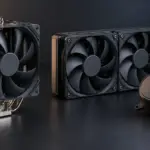
How to Choose a CPU Cooler: Air Cooling, AIO Liquid Cooling, and Fit
Compare tower air coolers and all-in-one liquid coolers by workload, noise, and installation requirements. Check socket kits, RAM clearance, case height, and radiator space before buying.

What Is a CPU or GPU Bottleneck? Finding What Limits Gaming Performance
Diagnose whether CPU work, GPU rendering, or another limit is holding back a game. Compare resolution, frame caps, utilization, and frame times before deciding which component to upgrade.