Category: Hardware
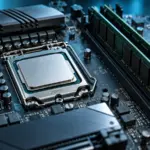
How to Read CPU Memory Specifications: DDR Type, Channels, Capacity, and Speed
Read a CPU’s RAM type, maximum capacity, channel count, and configuration-dependent transfer rates. Check DIMMs, ranks, XMP or EXPO profiles, motherboard QVLs, and BIOS support before upgrading.
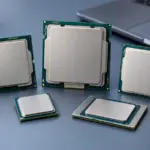
How to Read CPU Model Names: Families, Generations, and Suffixes
Break Intel Core, Core Ultra, and AMD Ryzen names into families, tiers, model numbers, and suffixes. Verify performance, graphics, and platform compatibility using the exact model’s specifications.
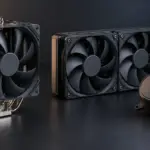
How to Choose a CPU Cooler: Air Cooling, AIO Liquid Cooling, and Fit
Compare tower air coolers and all-in-one liquid coolers by workload, noise, and installation requirements. Check socket kits, RAM clearance, case height, and radiator space before buying.

What Is a CPU or GPU Bottleneck? Finding What Limits Gaming Performance
Diagnose whether CPU work, GPU rendering, or another limit is holding back a game. Compare resolution, frame caps, utilization, and frame times before deciding which component to upgrade.
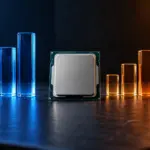
How to Read CPU Benchmarks: Single-Thread, Multi-Thread, and Gaming Performance
Compare CPU benchmark versions, test types, and system conditions before ranking scores. Learn how single-thread results, gaming frame times, and completion times relate to your own workload.
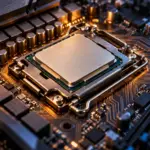
What Is CPU TDP? Power Consumption, Power Limits, and Heat Explained
Separate thermal design specifications from actual CPU power and temperature. Learn how to read Intel PBP and MTP, AMD PPT, monitoring readings, and cooling requirements together.

What Is CPU Cache? L1, L2, L3, and Their Effect on Performance
Understand how CPU cache reduces memory waiting time, how L1, L2, and L3 differ, and how to read capacity and sharing specifications. Learn when larger caches can help real workloads.
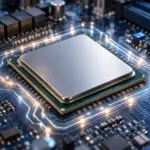
What Is CPU Clock Speed? Base Frequency, Boost Clock, and Performance
Learn what GHz measures, how base and maximum boost frequencies differ, and why operating speed changes. Find out which specifications and real workloads to compare alongside clock speed.

Monitor / How to Check a New Monitor for Pixel Defects and Uniformity
Inspect a new monitor using solid colors, uniformity patterns, and your real workload. Distinguish pixel defects, content artifacts, reflections, and backlight effects, and prepare support records.
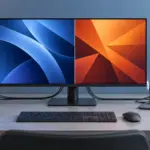
Monitor / KVM, PBP, and PIP: Differences and Two-Computer Setup
Distinguish KVM input and USB switching from PBP and PIP picture modes. Set up two computers with the correct video, upstream mapping, and peripheral checks.