Recent Posts
How to Read CPU Benchmarks: Single-Thread, Multi-Thread, and Gaming Performance
Compare CPU benchmark versions, test types, and system conditions before ranking scores. Learn how single-thread results, gaming frame times, and completion times relate to your own workload.
What Is CPU TDP? Power Consumption, Power Limits, and Heat Explained
Separate thermal design specifications from actual CPU power and temperature. Learn how to read Intel PBP and MTP, AMD PPT, monitoring readings, and cooling requirements together.

What Is CPU Cache? L1, L2, L3, and Their Effect on Performance
Understand how CPU cache reduces memory waiting time, how L1, L2, and L3 differ, and how to read capacity and sharing specifications. Learn when larger caches can help real workloads.
What Is CPU Clock Speed? Base Frequency, Boost Clock, and Performance
Learn what GHz measures, how base and maximum boost frequencies differ, and why operating speed changes. Find out which specifications and real workloads to compare alongside clock speed.
Windows Server 2025 / How to Install Windows Admin Center and Connect a Server
Plan the gateway, HTTPS certificate, and server connection, then troubleshoot browser and management paths separately.

Windows Server 2025 / How to Install RSAT on a Windows Management PC
Install the required administration tools on Windows 11, then distinguish a working console from successful server access.
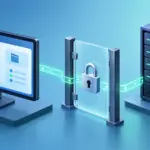
Windows Server 2025 / How to Enable Remote Desktop and Check Firewall Access
Configure administrative RDP access with NLA, scoped firewall rules, and tests that separate network reachability from user authentication.
Windows Server 2025 / How to Add and Remove Roles and Features
Choose the correct server and components, install Windows Server Backup as a lab example, and verify configuration and removal scope.
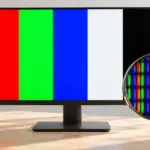
Monitor / How to Check a New Monitor for Pixel Defects and Uniformity
Inspect a new monitor using solid colors, uniformity patterns, and your real workload. Distinguish pixel defects, content artifacts, reflections, and backlight effects, and prepare support records.
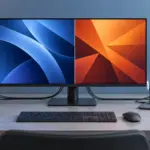
Monitor / KVM, PBP, and PIP: Differences and Two-Computer Setup
Distinguish KVM input and USB switching from PBP and PIP picture modes. Set up two computers with the correct video, upstream mapping, and peripheral checks.