Recent Posts
Home Printer Buying Guide / Printing Technologies, Running Costs, and Essential Features
Choose a home printer by matching its printing technology, maintenance needs, and total running costs to your usage. Compare inkjet, ink tank, and laser options, along with two-sided printing, scanning, wireless connections, and installation requirements.
Laser Printers / Features, Advantages, and Disadvantages
Understand how laser printers work, what toner and drums do, and where the technology's strengths and limitations matter. Compare document printing, consumable costs, paper compatibility, and inkjet alternatives to decide whether a laser printer suits your needs.
How to Check a File's SHA256 Hash on Windows
Calculate a file's SHA256 hash using PowerShell or Command Prompt, compare it with the official checksum, and troubleshoot common errors.
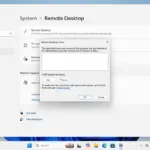
How to Enable Remote Desktop on Windows 11
Learn how to enable Remote Desktop on a Windows 11 PC, allow users, and test a connection. This guide also explains the Windows Home limitation and security considerations for access from another network.
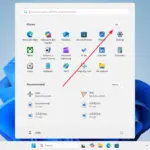
Windows 11 / Three Ways to Open Notepad
Open Notepad in Windows 11 from the Start menu, Windows Search, or the Run dialog. Follow the illustrated steps and learn what to check if the app does not appear.

What Is a Windows Prefetch PF File? Contents, Analysis, and Deletion
Learn what Windows Prefetch PF files record, how to inspect them, and why run counts, timestamps, and file paths need careful interpretation before you delete or investigate a record.

TTF, TTC, OTF, and OTC Font Files: Differences and How to Choose
TTF and OTF usually contain one font; TTC and OTC are collections that can hold several. Learn what each extension indicates, what it does not, and how to choose a file to install.
Windows 11 / Notepad Keyboard Shortcuts for Files, Tabs, and Editing
A practical reference to Windows 11 Notepad shortcuts for files, tabs, editing, search, and zoom. It also explains the difference between closing a tab and a window and what to check when a shortcut does not work.

Windows 11 / What Is Windows.old, and Can You Delete It?
You can remove Windows.old to free space in Windows 11, but doing so ends the option to return to the previous installation. Learn what to check first, when Windows removes it automatically, and how to delete it through Storage settings.

Network Port Ranges: Well-Known, Registered, and Dynamic Ports
Learn how IANA divides network ports into well-known, registered, and dynamic ranges. The guide also explains why a registered port does not identify a running service and why a system's ephemeral-port range may differ.