Recent Posts
What Is CPU Clock Speed? Base Frequency, Boost Clock, and Performance
Learn what GHz measures, how base and maximum boost frequencies differ, and why operating speed changes. Find out which specifications and real workloads to compare alongside clock speed.
Windows Server 2025 / How to Install Windows Admin Center and Connect a Server
Plan the gateway, HTTPS certificate, and server connection, then troubleshoot browser and management paths separately.
Windows Server 2025 / How to Install RSAT on a Windows Management PC
Install the required administration tools on Windows 11, then distinguish a working console from successful server access.

Windows Server 2025 / How to Enable Remote Desktop and Check Firewall Access
Configure administrative RDP access with NLA, scoped firewall rules, and tests that separate network reachability from user authentication.
Windows Server 2025 / How to Add and Remove Roles and Features
Choose the correct server and components, install Windows Server Backup as a lab example, and verify configuration and removal scope.
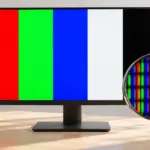
Monitor / How to Check a New Monitor for Pixel Defects and Uniformity
Inspect a new monitor using solid colors, uniformity patterns, and your real workload. Distinguish pixel defects, content artifacts, reflections, and backlight effects, and prepare support records.
Monitor / KVM, PBP, and PIP: Differences and Two-Computer Setup
Distinguish KVM input and USB switching from PBP and PIP picture modes. Set up two computers with the correct video, upstream mapping, and peripheral checks.

Monitor / Buying a Monitor Arm: VESA, Weight, and Desk Checks
Check VESA fit, screw requirements, minimum and maximum load, center of gravity, and desktop construction. Follow practical steps for installation, tension adjustment, and cable clearance.
Monitor / Glossy vs. Matte Screens: Differences and How to Choose
Compare glossy and matte monitor reflections, surface texture, and readability. Choose using your room lighting and content, and check the conditions for films and cleaning.
Monitor / USB-C Video, Charging, and USB Data: What to Check
Check the separate requirements for USB-C monitor video, USB data, and laptop charging. Learn how to select ports and cables, assess bandwidth, and troubleshoot each function.