Windows Server 2025 / How to Check AD Replication and FSMO Role Owners
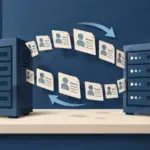
AD replication distributes directory changes among controllers. Flexible Single Master Operations (FSMO) roles assign specific operations to designated controllers. Check replication and role ownership separately: adding or stopping a DC does not automatically move its FSMO roles.
Identify replication scope and persistent failures
DC1 and DC2 replicate directory partitions, including domain, configuration, schema, and applicable DNS application data. Partners and timing can differ by partition. File-server contents and DHCP leases are not replicated merely because the machines are DCs.
When objects differ, first identify which controller each query used and when the change occurred. Separate expected propagation from continuing failure using Microsoft’s replication diagnostics.
Begin with read-only replication queries
Use an authorized shell on a DC or management PC with the required tools. Do not start by forcing synchronization or changing topology:
repadmin /replsummary
repadmin /showrepl DC1
repadmin /showrepl DC2
Get-ADReplicationFailure -Target 'ad.example.test' -Scope Domain
Inspect failure counts and the longest interval since success, then partners, naming contexts, and error codes. An intentionally powered-off DC2 is different from an unexplained failure; verify convergence after restarting it. Persistent errors require correlated DNS, RPC/network, time, authentication, service, and event checks. Avoid reconnecting a long-isolated controller without recovery planning.
Understand the five roles
There are two forest-wide and three domain-wide roles, as explained in Microsoft’s FSMO overview. One controller can hold several:
| Role | Scope and purpose |
|---|---|
| Schema Master | Forest: directory class and attribute definitions |
| Domain Naming Master | Forest: namespace operations such as adding domains |
| RID Master | Domain: relative identifier pools used in security identifiers |
| PDC Emulator | Domain: password-related operations and an important time-hierarchy role |
| Infrastructure Master | Domain: references to objects in other domains |
Losing a role holder does not necessarily stop every function immediately. Impact depends on the needed operation and elapsed time; continuing sign-in is not a reason to ignore the failure.
Query actual ownership
netdom query fsmo
Get-ADForest | Select-Object SchemaMaster,DomainNamingMaster
Get-ADDomain | Select-Object PDCEmulator,RIDMaster,InfrastructureMaster
In the initial lab, DC1 may hold all roles. Record the actual output rather than assuming that DC2 automatically receives some. When replication is unhealthy, compare queries directed to different controllers alongside their recent replication state. An ownership query is not a reason to immediately seize a role.
Separate transfer from seizure
Use a normal transfer for planned maintenance while the current holder is available. Seizure is a separate disaster-recovery decision when the old holder cannot appropriately return. Review FSMO transfer and seizure procedures.
- Before transfer, check both controllers, replication, permissions, backups, and the destination.
- After transfer, verify ownership, convergence, and dependent functions.
- When moving the forest-root PDC Emulator role, review the authoritative time-source design.
- After seizure, assess role-specific recovery and cleanup before returning the previous owner.
This introductory exercise stops at inspection and decision criteria. There is no need to manufacture a controller failure or seize roles for a screenshot. Plan any real transfer around the maintenance objective and recovery requirements.