MANUAL FACTORY
    • Windows
    • Windows 11
    • Windows 10
    • Windows Server
    • Windows Server 2025
    • Microsoft 365
    • Excel
    • PowerPoint
    • Outlook
    • Word
    • Exchange Online
  • Minecraft
    • Samsung Galaxy
    • Synology NAS
    • Hardware
    • Varie
  • Deutsch
  • English
  • Español (España)
  • Français
  • Bahasa Indonesia
  • Italiano
  • 日本語
  • 한국어
  • Português (Brasil)
  • 简体中文
Selettore della lingua Italiano
  • Deutsch
  • English
  • Español (España)
  • Français
  • Bahasa Indonesia
  • Italiano
  • 日本語
  • 한국어
  • Português (Brasil)
  • 简体中文
    • Windows
    • Windows 11
    • Windows 10
    • Windows Server
    • Windows Server 2025
    • Microsoft 365
    • Excel
    • PowerPoint
    • Outlook
    • Word
    • Exchange Online
  • Minecraft
    • Samsung Galaxy
    • Synology NAS
    • Hardware
    • Varie

Tag: Open source

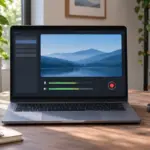
녹화 미리보기와 오디오 미터가 표시된 노트북 옆의 탁상용 마이크

OBS Studio / Come installarlo e fare una registrazione di prova

Installa OBS Studio su Windows, macOS o Linux, avvia la configurazione guidata e verifica l’immagine e l’audio del microfono in una breve registrazione.
Recent Posts
  • Excel / Ordinare in senso crescente, decrescente e per più colonne
  • OBS Studio / A cosa serve e come iniziare
  • OBS Studio / Come registrare lo schermo del computer
  • OBS Studio / Come installarlo e fare una registrazione di prova
  • Synology NAS / Sincronizzare PC e NAS con Cloud Station su DSM 6
  • Synology NAS / Configurare Note Station e sincronizzare le note
  • Come aggiungere una porta per Synology Photo Station
  • Impostare OBS Studio per registrazioni da montare in Premiere
  • Excel: sostituire il testo corrispondente con SOSTITUISCI
  • Excel: sostituire il testo in una posizione precisa con RIMPIAZZA
  • Come calcolare la somma dei quadrati con SOMMA.Q in Excel
  • Come copiare le celle di Excel come immagine
Home

© 2026 MANUAL FACTORY

RSS