Category: Windows Server

Windows Server 2025 / How to Install DNS and Create Zones and Records
Build a separate practice zone on standalone DC1 and verify A, CNAME, and reverse PTR answers from CLIENT1.

Windows Server 2025 / DNS Basics: Zones, Records, and Name Resolution
Understand the records and zones used in the lab, distinguish cached answers from current data, and separate DNS from service access.

Windows Server 2025 / How to Handle PowerShell Errors and Write Run Logs
Compare successful and failed file reads, preserve structured error details, and distinguish exception handling from rollback.
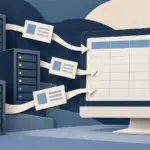
Windows Server 2025 / How to Export Server and Disk Inventory to CSV
Collect consistent local inventory into separate run folders, verify both CSV files, and compare values with their units and collection time.

Windows Server 2025 / PowerShell Basics: Objects, Pipelines, and Server Queries
Inspect command help and object properties, filter services, and calculate disk values without confusing display formatting with data.

Windows Server 2025 / How to Use PowerShell Remoting with WinRM
Configure a targeted remote management path, distinguish domain and workgroup authentication, and verify where commands execute.
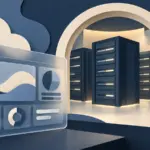
Windows Server 2025 / How to Install Windows Admin Center and Connect a Server
Plan the gateway, HTTPS certificate, and server connection, then troubleshoot browser and management paths separately.

Windows Server 2025 / How to Install RSAT on a Windows Management PC
Install the required administration tools on Windows 11, then distinguish a working console from successful server access.

Windows Server 2025 / How to Enable Remote Desktop and Check Firewall Access
Configure administrative RDP access with NLA, scoped firewall rules, and tests that separate network reachability from user authentication.

Windows Server 2025 / How to Add and Remove Roles and Features
Choose the correct server and components, install Windows Server Backup as a lab example, and verify configuration and removal scope.