Windows Server 2025 / Active Directory Basics: Forests, Domains, OUs, and Groups
Active Directory Domain Services (AD DS) centrally stores user, computer, and group information and provides domain authentication. Begin with one forest and domain, use organizational units (OUs) for management, and use security groups to assign resource access.
Domain controllers provide directory and authentication services
A domain controller (DC) stores directory data and provides domain services. A domain account avoids creating an independent user on every computer, but domain membership does not give every user access to all files or administrative tools.
Authentication establishes identity; authorization determines permitted actions. Successful sign-in and permission to modify a shared file are separate results. Directory objects also differ from the actual files stored on a file server.
Microsoft Entra ID and on-premises AD DS are different services. This course builds AD DS on Windows Server 2025; cloud device enrollment is not a substitute for this domain-join exercise.
Understand the forest, domain, OU, and group
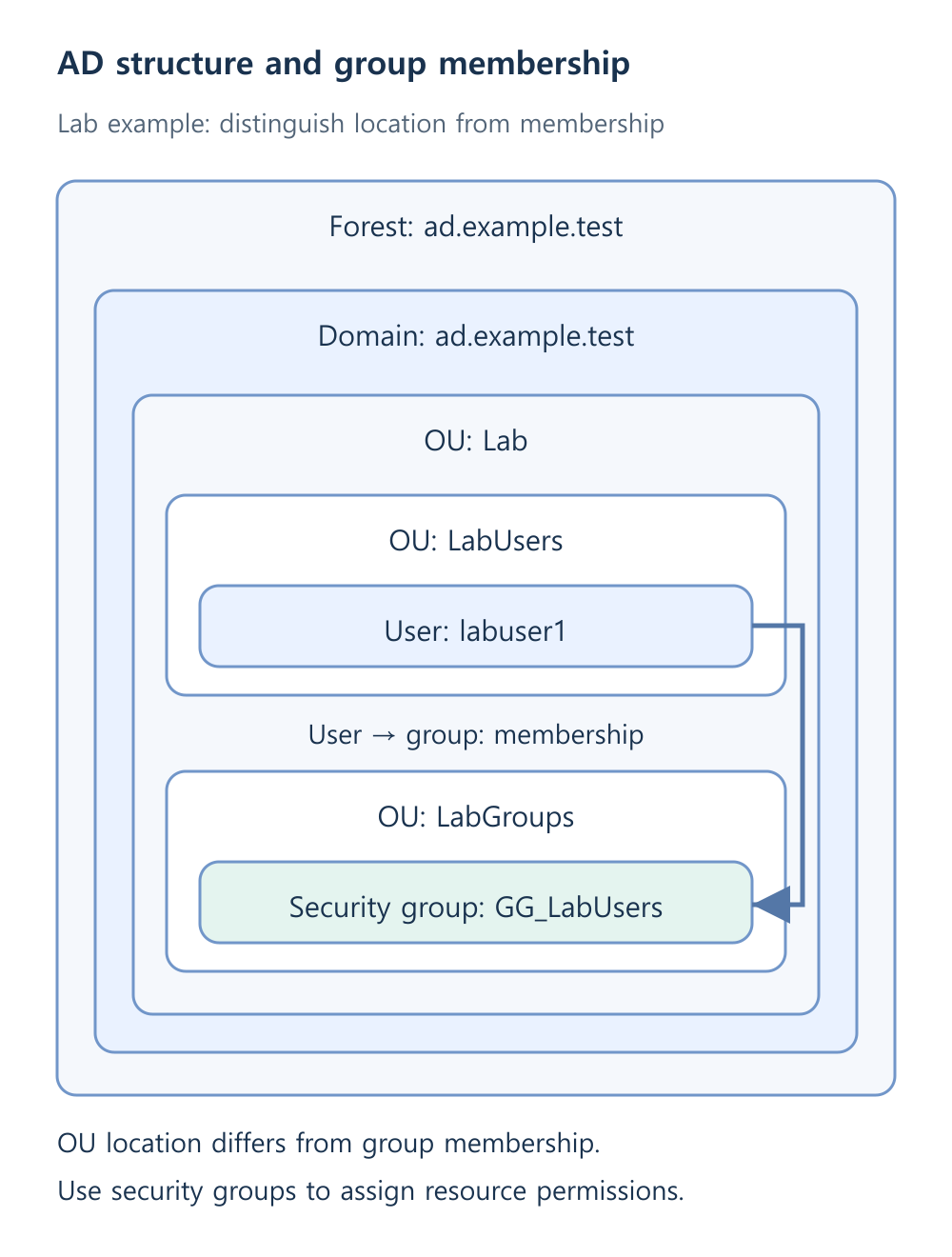
The lab uses one domain, ad.example.test, inside one forest. Departments do not automatically require separate domains. Microsoft’s Active Directory logical model explains how logical structure is separate from physical placement.
| Term | Role in this lab |
|---|---|
| Forest | Top-level structure sharing schema and configuration; relevant to security isolation planning |
| Domain | Account authentication and replication of domain directory data |
| OU | Container for delegation and policy scope |
| Security group | Membership used to assign resource permissions |
Moving a user into Sales OU is different from adding it to a Sales security group. OU location affects administration and policies; membership is used in resource permissions. Neither automatically implies the other.
Distinguish logical structure from server placement
A domain can have several controllers. DC1 and DC2 replicate directory data for the same domain, but placing both on one physical host still leaves a shared host failure risk.
- DC1 and DC2 provide domain services and DNS.
- FS1 is a domain member file server.
- CLIENT1 verifies ordinary user sign-in, policy, and share access.
User counts, sites, network paths, and recovery objectives influence placement. The number of forests or domains alone does not determine the number of physical machines. A single-host lab is not a production availability design.
DNS and time support authentication
Domain clients discover controllers through DNS service records. Public DNS may resolve websites while failing internal controller discovery. Internal DNS should answer domain questions and forward approved external queries when needed.
Kerberos authentication also depends on suitable time synchronization. Check DNS, clocks, and communication before repeatedly resetting passwords. Resolving the right name does not establish that all required domain traffic is permitted.
Record the initial design
- Use ad.example.test and NetBIOS name AD for this lab; design real organizational namespaces separately.
- Finalize DC1 and its static address 172.24.50.10 before promotion.
- Separate administrative and ordinary accounts; do not use Domain Admins for routine work.
- Plan user, computer, and group OUs, accidental-deletion protection, and recovery.
Centralized administration increases the importance of protecting controllers and privileged identities. Define independent checks for account creation, sign-in, DNS, replication, and recovery before treating installation as operational readiness.