What Is Minecraft? Game Modes, Editions, and Getting Started
Minecraft is a sandbox game in which you gather resources, build, and explore a world made of blocks while setting your own goals. You can enjoy the challenges of survival or focus on creating things, either on your own or with friends. If you are new to the game, start by understanding its basic features, then choose a game mode that suits your interests and an edition that works on your device.
What kind of game is Minecraft?
A sandbox game gives players a space and tools to decide what they want to do, rather than requiring everyone to complete missions in a fixed order. In Minecraft, your goal might be to build a small house, finish a large castle, or explore caves in search of useful minerals.
The ability to work with the world one block at a time is central to the game. You collect materials from trees to make tools, use those tools to gather more materials, and turn what you collect into buildings or equipment. You can reshape the landscape into a place that works for you.
The game has achievements or advancements to pursue and powerful enemies to challenge, but players do not all have to follow the same goal. If you enjoy adventure, you can seek out new places; if you like decorating, you can spend your time building a home and garden. The freedom to choose your own goals is also described in the official introduction to Minecraft.
What can you do in Minecraft?
Minecraft's activities are connected. If you want a bigger house, you need building materials. If the materials are far away, you need tools and food for the journey. Choosing one goal often gives you a natural reason to learn the next activity.
- Explore and gather resources: Travel through forests, mountains, oceans, and caves to find materials for building and equipment. The terrain affects the surroundings and resources you encounter.
- Craft items: Combine materials to make tools, weapons, armor, and useful everyday objects. This process of turning materials into something new is called crafting.
- Build: Place and remove blocks to create houses, bridges, villages, and other structures. You can take inspiration from real buildings or design something of your own.
- Farm and develop a base: Grow crops and care for animals to obtain food and materials. Establishing a place to live can be an enjoyable goal in itself.
- Fight and take on challenges: Prepare equipment to face hostile creatures or explore dangerous places. If combat does not appeal to you, adjust the mode and difficulty to focus on other activities.
Once you are comfortable with the basics, you can also experiment with redstone, the game's materials and circuitry for transmitting signals and operating devices. It can be used to operate doors or build automated mechanisms. You do not need to learn circuits immediately: start with gathering resources and building, then learn to make individual devices when you need them. The official game overview explains the main activities, while the official crafting guide covers the basics of combining materials.
Survival mode vs. Creative mode
Survival and Creative let you enjoy the same block-based world under different rules. Choose Survival if you enjoy collecting materials and overcoming dangers. Choose Creative if you want to concentrate on building and experimenting without spending time gathering supplies.
| Comparison | Survival mode | Creative mode |
|---|---|---|
| Materials | You gather resources and craft items yourself. | You can use blocks and items from the Creative inventory without worrying about quantities. |
| Health and food | You manage health and, on difficulties other than Peaceful, hunger. | You do not need to manage food or worry about ordinary survival damage. |
| Movement and building | You work with the terrain, tools, and materials available to you. | You can fly freely, making large builds and experiments easier. |
| Main appeal | Preparation, exploration, resource gathering, and progression | Design, self-expression, and trying out ideas |
A house in Survival is both a place to stay and the result of your resource gathering. In Creative, you can build the same house while spending more time on its shape and layout. The useful question is which part of the process you want to enjoy. See the official comparison of Creative and Survival for the basic rules.
Game mode and difficulty are separate settings. You can play Survival on a difficulty such as Easy or Peaceful. Most hostile mobs do not appear on Peaceful, but environmental dangers such as falling and lava can still hurt you. The official guide to health in Minecraft explains the basic damage and health rules. Keep these differences in mind if you want to reduce the danger while learning the controls.
Understanding the Minecraft world
A saved game environment in Minecraft is called a world. When you create one, you can explore its terrain and build within it. Understanding a few basic terms makes guides and settings easier to follow.
- Block: A basic unit of terrain or a structure. Blocks such as dirt, stone, and wood have different materials and properties.
- Item: Something you keep in your inventory and use, including tools, food, and crafting materials. Blocks can also be carried as items before you place them in the world.
- Mob: A creature in the world, such as an animal, villager, or monster. Mobs behave differently, so you do not need to treat all of them as enemies. The official introduction to mobs explains common types.
- Biome: A type of environment, such as a forest, desert, or plains. Knowing the biome can help you choose a home site or plan your exploration. See our guide to Minecraft biomes for a fuller explanation.
A dimension is a separate environment within a world. Familiar examples are the Overworld, where you begin playing; the Nether, with lava and distinctive resources; and the End, with islands and the Ender Dragon. You use the appropriate portals to travel to the Nether and the End. The official Ender Dragon introduction describes a major challenge in the End. You can make establishing a base and gathering equipment in the Overworld your first goal before exploring other dimensions.
When exploring far from home, plan how you will get back. Coordinates express a position in the world as numbers, making them useful for recording your home's location. If you use Bedrock Edition, learn how to display coordinates to help with navigation.
Java Edition vs. Bedrock Edition
An edition is a version of the Minecraft product. Java Edition and Bedrock Edition share the game's main activities, but differ in supported devices, multiplayer environments, and ways to use additional content. Choosing an edition is separate from choosing Survival or Creative: both modes are available in both editions.
| Selection criteria | Java Edition | Bedrock Edition |
|---|---|---|
| Supported devices | Windows, macOS, and Linux computers | Windows computers, Android and iOS devices, and supported consoles such as Xbox, PlayStation, and Nintendo Switch |
| Who you can play with | Other Java Edition players | Other Bedrock Edition players, including those on different types of supported devices |
| Additional content | Third-party mods and community content are widely used. | You can use Marketplace content and add-ons. |
| Example reasons to choose it | You play on a computer and want to use Java-specific mods or servers. | You play on a phone or console, or want to join friends who use those devices. |
Java Edition and Bedrock Edition do not connect directly through standard official multiplayer. Check which edition your friends run, as well as which devices they use. Windows can run both editions, so knowing that someone plays on a computer does not tell you which edition they use. The official edition comparison explains supported devices and content differences.
A mod is additional software that changes or expands the game's features or rules. An add-on is content that can extend blocks, creatures, behavior, and other features in Bedrock Edition. Even when features have similar names, the content needs to be compatible with your edition and game version. It is helpful to learn the base game first, then choose extensions that meet your needs.
Playing alone or with friends
Playing alone lets you explore and build at your own pace. With friends, you can divide tasks such as gathering materials and building, or set a shared goal for an adventure. The experience still depends on whether you choose Survival or Creative.
When several players enter the same world, that is multiplayer. Options include joining a friend's world or playing on a server that accepts multiple players. Connection methods and supported server features vary by edition and device, so check the instructions for the world or server you want to join.
Realms is Minecraft's official subscription service for private servers. You can share a world with invited friends, and they can connect without the owner keeping the game running. It is an option to consider if you want to reduce the work of managing your own server. Java Realms and Bedrock Realms are separate, and Realms also requires players to use the same edition. Check the official Realms information for subscription conditions and separate online subscription requirements on consoles.
Before starting together, check the edition and version required to connect, account permissions for multiplayer, and who will keep the world. For a shared building project, agree on rules such as whether players can change each other's buildings or use shared materials. These decisions make cooperation easier.
What to check before you start Minecraft
You do not need to memorize every crafting recipe when you begin. Focus on completing one small goal. The following steps can help you move from choosing an edition to your first play session.
- Check your device and your friends' editions. If you want to play together, match editions first. Before buying, check the official product page for your device to see its requirements and what is included. The PC package is described on the Minecraft: Java & Bedrock Edition for PC page.
- Create a world with your preferred mode and difficulty. Choose Creative to practice controls and building, or Survival to experience gathering materials from the beginning. You can keep a practice world separate from a world you intend to develop over time.
- Learn the basic controls. Practice moving, looking around, jumping, breaking and placing blocks, and opening the inventory. Keyboard and mouse, touch, and controller inputs differ, so check the control settings for your device.
- Set a small first goal. In Creative, try building a small house or bridge. In Survival, aim to gather wood, make planks and a crafting table, and obtain basic tools, shelter, and food.
- Check that you are ready to explore. In Survival, prepare food, tools, and torches, and record your home's location. Digging straight down can send you into a deep opening or lava, so think about a safer route downward.
On your first day in Survival, you can prioritize a safe place to stay and basic supplies over your home's appearance. Dangerous mobs can appear in dark areas, so being underground does not automatically make you safe. The official first-night survival guide explains how to prepare shelter, torches, and basic equipment.
After finishing a small house, choose another goal: explore nearby, make a farm, or expand your home. You can enjoy Minecraft without beginning with a huge build or a complicated machine. Find an activity you like, learn the methods it requires one at a time, and develop your world as you go.
Minecraft Bedrock World Save Location on Windows: Backup and Restore
Find the current and legacy Minecraft Bedrock world folders on Windows and identify your saves. Learn how to back up, transfer, and restore worlds using folder copies or .mcworld exports.
Minecraft Efficiency Enchantment: Tools, Mining Speed, and Efficiency V
Understand which tools benefit from Efficiency and why mining speed varies. Learn how to obtain Efficiency V, assess instant-mining conditions, and maintain your tools.

Minecraft Enchantments: Enchanting Table, Anvil, and Gear Guide
Learn how to enchant Minecraft equipment, arrange 15 bookshelves, and apply enchanted books with an anvil. Compare useful effects, experience costs, and incompatible combinations to choose gear for your Survival world.
Minecraft Biomes Explained: Types, Resources, and How to Find Them
Learn how Minecraft biomes differ across the Overworld, Nether, and End. Compare useful environments, distinguish biomes from structures, and find locations using debug information or commands.
How to Show Coordinates in Minecraft Bedrock Edition
Learn how to show and hide coordinates in Minecraft Bedrock, read X, Y, and Z, and record your base location. The guide also covers copying coordinates and resolving permission problems in shared worlds.
What Is Minecraft? Game Modes, Editions, and Getting Started
Learn what you can do in Minecraft, how Survival and Creative differ, and how to choose between Java and Bedrock Edition. This beginner's guide also explains multiplayer options and the essentials to check before your first world.
Minecraft Fortune Enchantment: Uses, Tools, and How to Get Fortune III
Learn where Fortune improves block drops, which tools to use, and how it differs from Silk Touch. Follow the steps to obtain Fortune III and understand common drop exceptions.
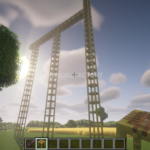
Minecraft Java Edition: How to Craft and Use Scaffolding
Learn the scaffolding recipe and Java Edition controls for building columns, climbing, extending platforms, and removing scaffolding. Screenshots explain the horizontal support limit and how to reuse the blocks.