Minecraft Biomes Explained: Types, Resources, and How to Find Them
A biome in Minecraft is a type of region that helps determine the local climate, surface materials, vegetation, and conditions for wildlife to appear. Plains and deserts provide different materials, while caves and the Nether have their own environments. Understanding biomes helps you choose a base location and decide where to look for resources.
Biomes, dimensions, and structures are different
A dimension is a separate world such as the Overworld, Nether, or End. A biome is an environment within a dimension. A structure is a generated construction such as a village, desert pyramid, or End city. A desert is a biome; a pyramid found there is a structure.
Biomes affect conditions for rain or snow, vegetation, surface blocks, and possible creatures. They do not determine every outcome on their own: spawning also depends on conditions such as light and suitable blocks, and entering a biome does not guarantee that you will find a village or another structure. The official Bedrock biome documentation separates several of these environmental properties.
Representative land biomes in the Overworld
The Overworld is the dimension where you normally begin. The table below highlights useful examples for exploration and gathering materials, rather than attempting to list every biome. Each linked name opens an official description of that environment.
| Biome | Identifying features | Uses and practical considerations |
|---|---|---|
| Plains | Open grassland and relatively level ground | Convenient for houses and farms. Check for a nearby forest if trees are scarce. |
| Forest | Many oak and birch trees | Useful for early wood gathering. You may need to clear trees for a building site. |
| Old growth taiga variants | Large spruce trees and areas of podzol | Useful for spruce wood. Tall trees and uneven ground can complicate travel. |
| Jungle | Tall jungle trees, vines, and dense vegetation | A place to look for cocoa, melons, and bamboo. Limited visibility makes navigation harder. |
| Desert | Sand, sandstone, and cacti | Useful for collecting sand and sandstone or exploring pyramids. Bring wood and food. |
| Badlands, formerly Mesa | Layered, multicolored terracotta terrain | Known for terracotta and extra gold ore generation. Consider it for colorful building materials. |
| Frozen Peaks | High peaks covered in snow and ice | A dramatic backdrop for mountain builds. Check steep drops and access routes first. |
| Cherry Grove | Pink cherry trees and petals | A source of cherry wood and pink petals. Look around mountainous areas. |
| Pale Garden | Pale oak trees, moss, and muted colors | A source of pale oak materials. Watch for the creaking at night. |
| Dappled Forest | Red, orange, and yellow poplar foliage, including fallen trees | A source of poplar wood and shelf mushrooms growing on trees. |
Dappled Forest was added in the Wilderness Bound update for Java Edition 26.3 and Bedrock Edition 26.50. It is unavailable in versions released before that addition.
For a first base, consider an area where plains and forest are close together. This combines open building space with a nearby supply of wood. Even when choosing a location mainly for its scenery, checking food, water, and access routes can make settling there more manageable.
Ocean biomes vary in temperature and depth
Ocean environments differ in vegetation and surface appearance. Deep ocean variants also require preparation for diving and returning safely to the surface.
- Warm Ocean: Known for coral reefs and tropical fish. Look here when collecting coral and other marine decorations.
- Frozen Ocean: Ice and icebergs distinguish this environment. Surface ice can affect your route through the area.
- Deep ocean variants: Deep-water environments where you should monitor your remaining air and keep a clear route back up.
Biome temperature and underwater breathing are separate concerns. During seabed exploration, watch your air supply and nearby dangers such as drowned, as well as the materials you came to collect.
Caves have their own biomes
Biomes are not limited to the surface. Underground environments can differ from the land above the same horizontal location, so depth matters when exploring caves. The illustration below is a conceptual comparison; it does not reproduce actual biome boundaries or ore distribution in a game world.
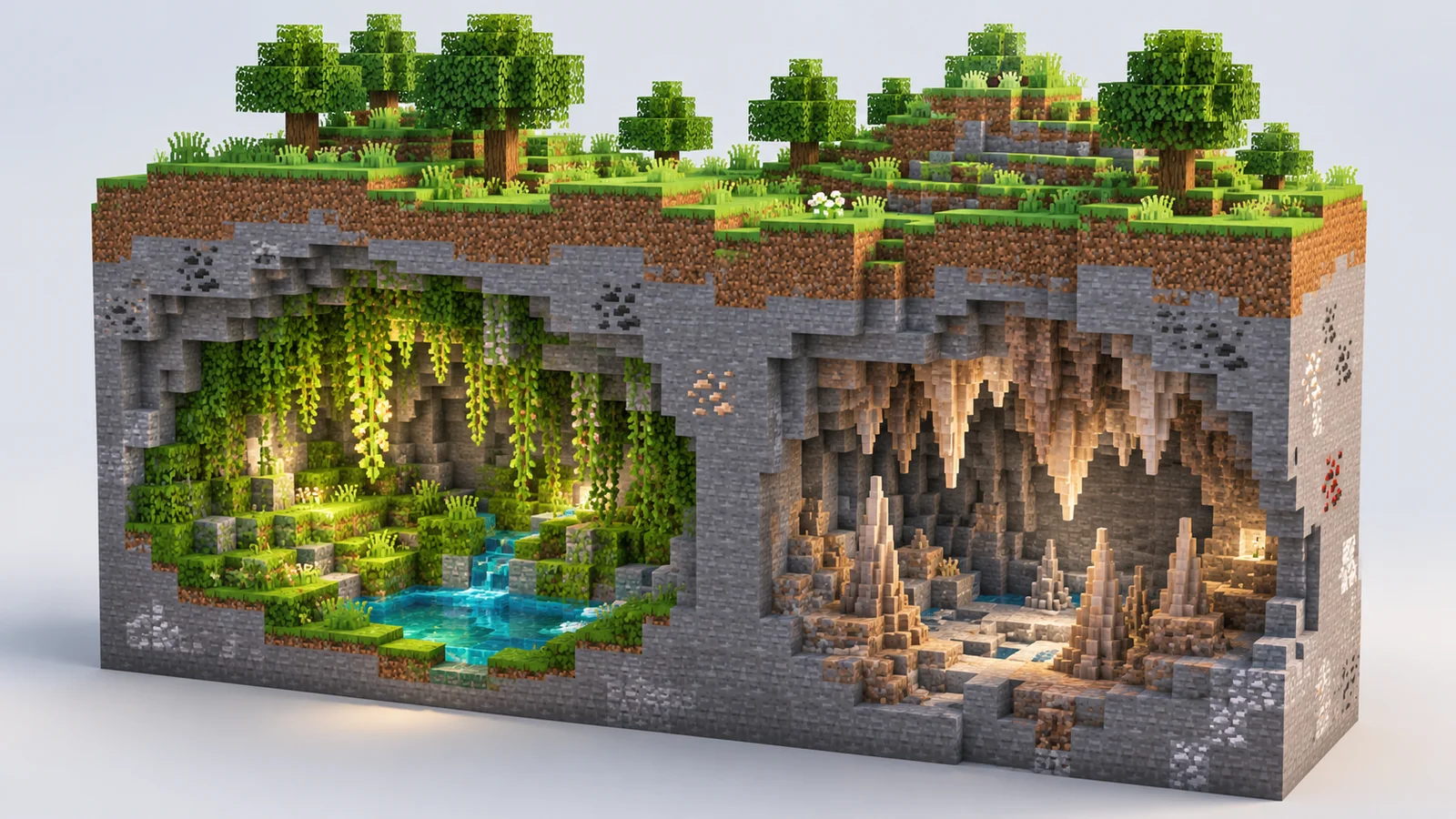
- Lush Caves: Vegetation-rich caves containing moss and cave vines. An azalea tree on the surface can be a clue to a lush cave below.
- Dripstone Caves: Recognizable by pointed dripstone on ceilings and floors. Collect dripstone materials, but beware of falls and sharp formations.
- Deep Dark: A deep underground environment containing sculk. Ancient cities are structures that can generate here, rather than a guaranteed feature of every deep dark area. Understand sculk shriekers and the warden before exploring.
- Sulfur Caves: Caves containing sulfur and cinnabar blocks, pools, and other distinctive features. Surface sulfur springs provide a clue to caves below. Added in Chaos Cubed for Java 26.2 and Bedrock 26.30, these caves can include noxious gas from potent sulfur that causes Nausea.
How Nether biomes differ
The Nether is a separate dimension with contrasting terrain and vegetation within it. The official Nether Update notes describe these representative environments:
| Biome | Identifying features |
|---|---|
| Nether Wastes | The traditional Nether environment, dominated by red netherrack |
| Crimson Forest | Red huge fungi, hanging vines, and hoglins |
| Warped Forest | Blue-green huge fungi and warped vegetation |
| Soul Sand Valley | Soul sand, soul soil, and basalt pillars |
| Basalt Deltas | Basalt, blackstone, complex terrain, and lava |
Even a comparatively less hostile environment such as a warped forest is not free of hazards. Watch lava and steep drops, and record your portal coordinates and return route. Crimson and warped stems also offer building materials with colors unlike ordinary Overworld wood.
End biomes and End cities
The End contains the central island where you encounter the ender dragon, as well as outer islands. Java Edition distinguishes outer environments such as End Highlands as separate biomes. Bedrock's biome search command list uses minecraft:the_end for the End, so do not assume identical biome names and classifications across editions.
An End city is a structure, not a biome. As the official End Highlands guide explains, exploring outer islands can lead you to an End city. If your goal is an elytra, look for the treasure room of an End ship. Finding an End city alone does not guarantee an elytra.
Identify and find biomes
Check your current environment
Start with trees, surface blocks, snow, ice, and vegetation to narrow down the environment. Appearance alone can be misleading near a boundary or in similar-looking forests.
In Java Edition, use the default F3 key to open debug information and check the biome entry. A configurable debug display was introduced in 1.21.9. If the entry is missing, open Debug Options with the default F3 + F6 shortcut and check the biome display setting. Your actual shortcut may differ if you changed the bindings or use a laptop's function-key controls.
Bedrock's coordinate display shows your position; coordinates alone do not identify a biome by name. Once you find a useful area, follow the guide to showing and recording coordinates in Bedrock to save a location you can revisit.
Search with a command
In a world where command access is allowed, /locate biome searches for a biome location. For example, to find a desert while in the Overworld, enter:
/locate biome minecraft:desert
A successful search reports destination coordinates; the command does not move you there. Biome IDs can differ between editions and versions, so choose from the autocomplete suggestions after /locate biome . The requested biome must be available in the current dimension.
Bedrock's official locate reference requires cheats and command permission. If you want to retain achievements in your original world, consider exploring normally or running searches in a copy instead of casually changing its cheat setting. Java's command system also uses the /locate biome form, and server permissions may restrict access.
Minecraft Bedrock World Save Location on Windows: Backup and Restore
Find the current and legacy Minecraft Bedrock world folders on Windows and identify your saves. Learn how to back up, transfer, and restore worlds using folder copies or .mcworld exports.
How to Show Coordinates in Minecraft Bedrock Edition
Learn how to show and hide coordinates in Minecraft Bedrock, read X, Y, and Z, and record your base location. The guide also covers copying coordinates and resolving permission problems in shared worlds.
Minecraft Java Edition: How to Craft and Use Scaffolding
Learn the scaffolding recipe and Java Edition controls for building columns, climbing, extending platforms, and removing scaffolding. Screenshots explain the horizontal support limit and how to reuse the blocks.
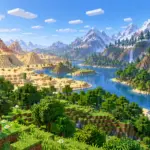
Minecraft Biomes Explained: Types, Resources, and How to Find Them
Learn how Minecraft biomes differ across the Overworld, Nether, and End. Compare useful environments, distinguish biomes from structures, and find locations using debug information or commands.

Minecraft Efficiency Enchantment: Tools, Mining Speed, and Efficiency V
Understand which tools benefit from Efficiency and why mining speed varies. Learn how to obtain Efficiency V, assess instant-mining conditions, and maintain your tools.

Minecraft Enchantments: Enchanting Table, Anvil, and Gear Guide
Learn how to enchant Minecraft equipment, arrange 15 bookshelves, and apply enchanted books with an anvil. Compare useful effects, experience costs, and incompatible combinations to choose gear for your Survival world.
What Is Minecraft? Game Modes, Editions, and Getting Started
Learn what you can do in Minecraft, how Survival and Creative differ, and how to choose between Java and Bedrock Edition. This beginner's guide also explains multiplayer options and the essentials to check before your first world.

Minecraft Fortune Enchantment: Uses, Tools, and How to Get Fortune III
Learn where Fortune improves block drops, which tools to use, and how it differs from Silk Touch. Follow the steps to obtain Fortune III and understand common drop exceptions.